
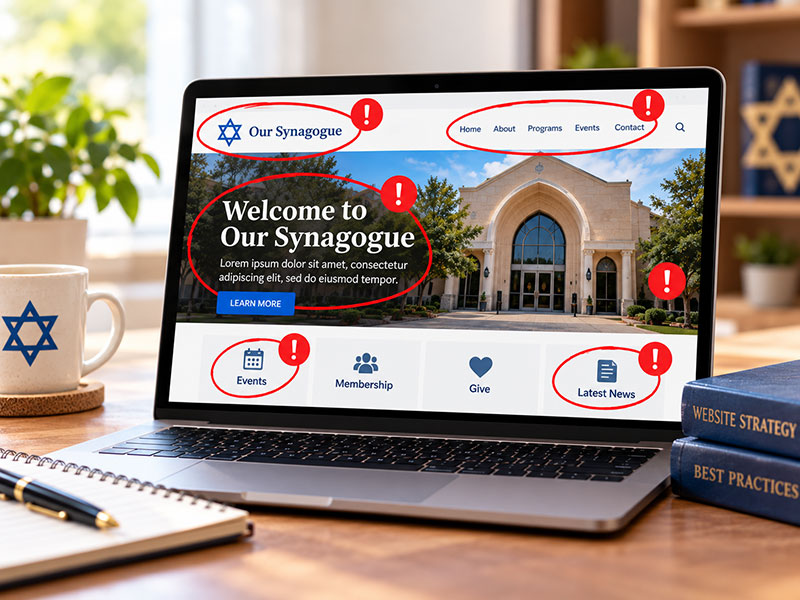
A synagogue website has a difficult job.
It needs to serve current members looking for service times, upcoming events and registration information. At the same time, it needs to introduce the congregation to people who may know very little about it.
It needs to provide a lot of information without feeling overwhelming. It needs to stay current without requiring constant attention. And it needs to communicate something that’s difficult to capture on a screen: what it actually feels like to be part of the community.
That’s a lot to ask of one website.
Over the years, I’ve seen some of the same problems appear again and again. Most aren’t catastrophic. But together, they can make a synagogue website harder to use and less effective at telling the congregation’s story.
Here are ten of the most common synagogue website mistakes — and what to do instead.
1. Turning the Homepage Into a Bulletin Board
Synagogues have a lot happening.
There’s always another Shabbat dinner, class, committee meeting, fundraiser, speaker, holiday celebration or social event to promote.
Naturally, everyone wants their program on the homepage.
The problem is that when everything receives equal attention, nothing receives much attention at all.
Your homepage shouldn’t attempt to reproduce your entire synagogue calendar. Feature a selection of what’s coming up and give visitors an easy way to see everything else.
Then leave room for the other things your homepage needs to accomplish: introducing your congregation, showing your community, highlighting your clergy and values, and helping visitors understand where they should go next.
Your homepage isn’t your synagogue bulletin.
It’s the front door to your website.
2. Making Navigation More Complicated Than It Needs to Be
Synagogue websites tend to grow over time.
A new program needs a page. A committee requests another section. Someone adds something to the navigation because they aren’t sure where else to put it.
Eventually, a relatively simple menu can become an organizational chart of the synagogue.
Website visitors shouldn’t need to understand your internal structure to find what they’re looking for.
Think about navigation from their perspective.
Someone wants to find Shabbat service times. A parent wants religious school information. A prospective member wants to learn about your congregation. Someone wants to make a donation.
Where would each of those people naturally look?
Good navigation isn’t about finding a place for every page in the menu. It’s about creating clear pathways to the information people actually need.
3. Letting Outdated Information Linger
A visitor shouldn’t arrive in February and find a homepage invitation to your Hanukkah celebration.
Outdated information creates two problems.
For current members, it makes the website less reliable. If people repeatedly encounter incorrect schedules and expired announcements, they’ll eventually stop trusting the website as a source of current information.
For someone discovering your synagogue, stale content can create an entirely different impression. They may wonder whether the congregation is active or whether anyone is paying attention to the website.
Not everything needs to change constantly. Your clergy pages, synagogue history, values and descriptions of ongoing programs may remain relevant for years.
But time-sensitive information should actually be timely.
Have a process for putting things up — and taking them down.
4. Posting Event Flyers Instead of Website Content
A beautifully designed event flyer can work wonderfully in an email, on social media or printed on a bulletin board.
That doesn’t mean it belongs on your homepage.
When a flyer designed for an 8½-by-11-inch page is reduced to fit a phone screen, the text can become difficult or impossible to read. Flyers may also clash visually with the rest of the website and provide none of the flexibility of actual web content.
Instead, use the website to promote the event as a website.
Use a strong photograph or graphic, an event title, a short description and a clear registration or “Learn More” button.
You can always make the full flyer available for people who want it.
But don’t make visitors read your website through a magnifying glass.
5. Forgetting About the Person Who Has Never Been There Before
Current members know your synagogue.
They know who the rabbi is. They know where to park. They understand your abbreviations. They know what “Friday Night Live” means at your congregation.
A newcomer doesn’t.
Synagogue websites often assume a level of familiarity that first-time visitors simply don’t have.
Look for opportunities to provide context.
Consider creating a clear place for newcomers to begin. Explain what someone can expect when attending services. Introduce your clergy. Make your address and contact information easy to find. Provide a simple way to ask questions.
Most importantly, don’t make membership the first thing you ask of someone who is just getting to know you.
Invite them to take a smaller step first.
Come to a service. Attend a program. Meet the rabbi. Join the email list. Get in touch.
Membership can come later.
6. Using Too Much Text
Synagogues have a lot to say.
That’s not a bad thing.
The problem comes when every page tries to say all of it at once.
Large, uninterrupted blocks of text are difficult to scan, particularly on a phone. Visitors are much more likely to engage with content when it’s organized around clear headings, shorter paragraphs and obvious next steps.
This doesn’t mean every page needs to be reduced to three sentences.
Some subjects deserve depth.
But structure matters.
Help visitors understand the page before asking them to read every word of it. Use headings to guide them. Break complicated information into manageable sections. Put the most important information where people are likely to see it.
Good website writing isn’t necessarily about saying less.
It’s about making what you say easier to absorb.
7. Designing for the Synagogue Instead of the Visitor
This is an easy trap to fall into.
Website discussions often begin with internal questions:
Where should the Brotherhood page go? Which committee gets homepage space? What does the board president want featured? Should this department have its own menu?
Those may be legitimate questions.
But they’re not necessarily the questions your website visitors are asking.
Start instead with the people using the site.
What is a current member trying to accomplish? What does a prospective member want to know? What does a parent need to find? What information might someone need quickly from a phone?
Your organizational structure and your website structure don’t have to be identical.
Design the website around the people using it.
8. Showing the Building Instead of the Community
There’s nothing wrong with a beautiful photograph of your sanctuary.
But an empty sanctuary can’t tell the whole story of your synagogue.
If you want visitors to understand that your congregation is warm, connected and welcoming, show them the people who make it that way.
Use photographs of actual congregants whenever possible: people talking after services, children learning, adults studying, clergy interacting with members, families celebrating and volunteers working together.
And think about the range of people represented in those photographs.
The goal isn’t simply to demonstrate that people attend your synagogue.
It’s to help someone looking at your website imagine themselves among them.
9. Treating Mobile Design as an Afterthought
Today, simply having a website that technically adjusts to a smaller screen isn’t enough.
The question is whether it’s actually easy to use on a phone.
Can someone quickly find tonight’s service time? Can they navigate the menu comfortably? Are buttons large enough to tap? Is the text easy to read? Can they complete a registration form without endlessly zooming and scrolling?
Think particularly about the information someone might need while they’re already on the way to your synagogue.
Your address. Parking instructions. Service times. Livestream link. Event details.
For many visitors, the mobile version isn’t an alternate version of your website.
It is your website.
10. Telling People You’re Welcoming Instead of Showing Them
“Warm and welcoming.”
It’s probably the most common phrase on synagogue websites.
And there’s nothing wrong with it — assuming it’s true.
But nearly every synagogue says some version of the same thing.
Instead of relying on adjectives to tell people what your community is like, use the entire website to demonstrate it.
Show authentic photographs of people connecting with one another. Write in a warm, human voice. Make it easy for someone new to understand where to begin. Introduce clergy as people rather than just providing résumés. Explain what matters to your congregation and why.
If relationships are important to your community, show relationships.
If learning is central to your synagogue, show people learning.
If joyful Jewish life defines your congregation, let visitors see some of that joy.
Don’t just tell people who you are.
Help them see it.
The Common Thread: Design for the People Using the Website
Most synagogue website mistakes have something in common.
They happen when we start thinking about the website as a place where the synagogue needs to put things rather than as a place people come to find things.
That’s an important distinction.
A successful synagogue website isn’t the one that contains the most information, has the most elaborate design or promotes the most events.
It’s the one that helps people accomplish what they came to do.
For current members, that often means quickly finding practical information.
For prospective members, it means something different: understanding who you are, getting a sense of your community and deciding whether they’d like to know more.
The best synagogue websites make room for both.
They provide information without overwhelming people. They promote programs without becoming bulletin boards. They tell the congregation’s story without getting in the visitor’s way.
And above all, they remember that there’s a person on the other side of the screen.