

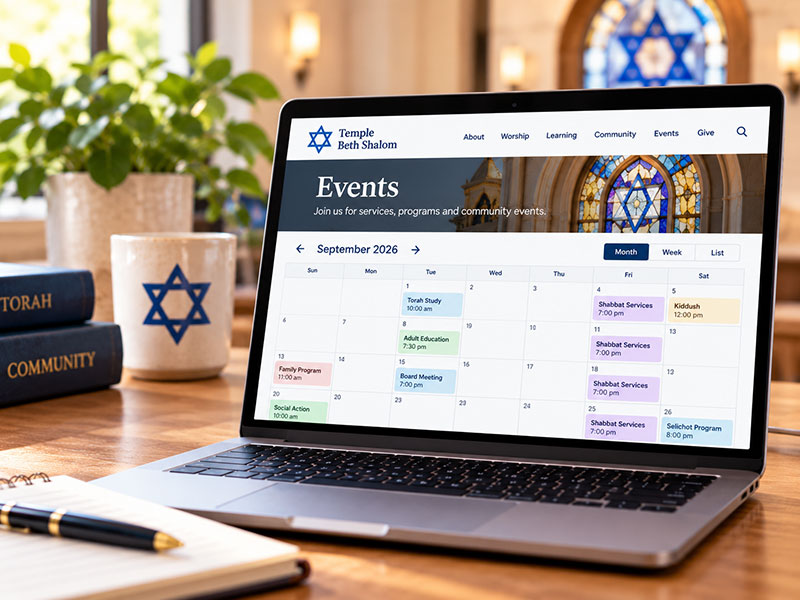
A synagogue calendar has a lot of work to do.
On any given week, it might need to display Shabbat services, minyanim, Torah study, religious school, committee meetings, youth programs, social events, holiday observances and special programs. Some events repeat every week. Others require registration. Some are open to the community, while others are intended primarily for members.
That makes choosing the right calendar for your synagogue website more important than it might initially seem.
For synagogues with WordPress websites, there are several common approaches. We typically encounter four: Events Manager, The Events Calendar, ShulCloud’s calendar, and an embedded Google Calendar.
Each has advantages and drawbacks. The best choice depends on how your synagogue manages events, who maintains the website, and what you want the calendar to do.
1. Events Manager for WordPress
Events Manager is a WordPress plugin that keeps your synagogue’s events directly within your WordPress website.
The Pros
It’s extremely flexible. Events Manager gives you considerable control over how events are organized and displayed. Events can have categories, locations, images and other information, and the plugin supports both individual and recurring events.
That flexibility is especially useful for synagogues. You might create categories for Worship, Learning, Youth & Family, Social Action and Community Events, for example, and then display only the appropriate events in different areas of the website.
Recurring events are built in. Weekly services, Torah study, religious school and other regularly scheduled programs can be created as recurring events rather than entered individually.
You have extensive control over the presentation. For a web developer comfortable working with WordPress, Events Manager provides numerous formatting options, shortcodes, templates and hooks. That makes it possible to integrate event information throughout a synagogue website rather than limiting it to a single calendar page.
For example, upcoming events can appear on the homepage while a complete calendar appears elsewhere on the site.
It can handle registrations and bookings. Events Manager includes booking functionality and offers additional registration, ticketing and payment capabilities through its premium features.
Your events remain part of your website. Visitors aren’t simply looking at an externally embedded calendar. Individual events can have their own pages, making them easier to feature, link to and incorporate into the rest of the site.
The Cons
Its flexibility comes with complexity. Events Manager has a lot of options, and the administrative interface can take some time to learn. A staff member who simply wants to add an event may find it less intuitive than Google Calendar or ShulCloud.
Getting the calendar exactly right may require customization. Out of the box, it may not perfectly match your synagogue’s website design. Creating a polished, fully integrated calendar can require CSS, template customization or assistance from your web developer.
It’s another system to maintain. If your synagogue already enters every event into ShulCloud or Google Calendar, maintaining a separate WordPress calendar can result in duplicate work unless you establish an import or synchronization workflow.
Best For
Synagogues that want a highly customizable calendar that feels like an integral part of their WordPress website – and that have someone comfortable managing WordPress.
2. The Events Calendar for WordPress
The Events Calendar is another popular WordPress-based approach. Like Events Manager, events live within WordPress rather than simply being embedded from an outside service.
The Pros
It’s polished and user-friendly. The Events Calendar provides attractive month, list and day views in its free version, with additional views and functionality available through paid versions.
It integrates nicely with WordPress. Because events are WordPress content, they can have individual event pages, categories, tags, venues and other information. The plugin also offers blocks, shortcodes and widgets for incorporating events into other areas of the website.
There are numerous ways to display events. Depending on the version and add-ons being used, events can be presented in month, week, day, list, photo, map and other views.
It can grow with your needs. Additional functionality is available for recurring events, registration, ticketing, virtual events and other more advanced requirements.
The Cons
Some functionality requires a paid version. One particularly important example for synagogues is recurring events. The free version handles the basics, but recurring events and several additional calendar views are premium features.
For a synagogue with weekly services, classes and other ongoing programs, recurring-event functionality can be particularly important.
Costs can increase as your needs become more sophisticated. A simple calendar can be inexpensive, but premium features and more advanced event-management functionality can turn it into a larger annual software expense.
It’s still a separate calendar system. As with Events Manager, if ShulCloud is your synagogue’s primary database and event-management platform, staff may find themselves maintaining information in more than one place.
Best For
Synagogues that want a polished WordPress-native event system with a relatively approachable interface and are comfortable paying for premium functionality when needed.
3. ShulCloud Calendar
For synagogues already using ShulCloud, there’s an obvious argument for using the calendar that’s already part of the system.
The Pros
Everything is in one place. This is the biggest advantage. Events can be tied into the same system your synagogue may already use for membership, billing, donations, registration and communications.
ShulCloud’s scheduling tools include event management, registration and integrated billing, along with rule-based scheduling and Jewish-calendar functionality.
That can dramatically simplify administration.
Instead of entering an event in one system for registration, another for the website and perhaps another for communications, staff can manage more of the process through ShulCloud.
It’s designed specifically for synagogues. Unlike general-purpose WordPress calendar plugins, ShulCloud was built around the operational needs of Jewish congregations.
Registration can be integrated with your synagogue’s existing database. For events that require registration or payment, keeping everything within the same ecosystem can make life much easier for synagogue staff.
The Cons
Design flexibility can be more limited. If your main website is built in WordPress and you’re bringing ShulCloud calendar information into it, you generally won’t have the same degree of control that you would have over events stored natively in WordPress.
Integration with a separate WordPress website requires planning. If your synagogue uses ShulCloud primarily for its database and administrative functions but maintains a separate WordPress website, you’ll need to decide how the two systems should work together.
You may have less control over the visitor experience. A custom WordPress event system gives your web developer extensive control over event templates, layouts and navigation. An external system naturally places some limits on that customization.
Best For
Synagogues that already rely heavily on ShulCloud and want to minimize duplicate data entry – particularly when event registration, payments and member information are involved.
4. Embedded Google Calendar
The simplest option may be one your synagogue already uses: Google Calendar.
Google allows a public calendar to be embedded directly into a website using an iframe. Visitors can view the calendar and can also add a public calendar to their own Google Calendar.
The Pros
It’s simple. If your staff already knows how to use Google Calendar, there’s virtually no learning curve.
It’s easy to maintain. Change an event in Google Calendar and the updated information appears in the embedded calendar. There’s no need to log into WordPress to make the same change.
Recurring events are easy to manage. Weekly services, meetings and classes are exactly the kind of events Google Calendar handles well.
It’s inexpensive. For synagogues that simply need to show what’s happening and don’t require sophisticated website integration, it can be a very practical solution.
The Cons
It looks like Google Calendar. You have relatively little control over the appearance of the embedded calendar. It may work perfectly well, but it generally won’t feel as integrated into your website’s design as a native WordPress calendar.
Individual events aren’t really website content. With a WordPress event plugin, an important event can have its own attractive webpage with an image, description, registration button and related information. A basic Google Calendar embed isn’t designed to provide that same experience.
Customization is limited. Google lets you adjust certain display options when generating the embed code, but the degree of customization is nowhere near what is possible with a WordPress event plugin.
Public-calendar settings need to be considered carefully. For an embedded calendar to be publicly visible, the calendar needs the appropriate public sharing settings. Synagogues should therefore be thoughtful about which information belongs on a public calendar and which does not.
Best For
Synagogues looking for a simple, low-maintenance calendar—especially when staff already uses Google Calendar to manage the synagogue’s schedule.
So Which Calendar Should Your Synagogue Use?
There’s no single answer that’s right for every congregation.
Events Manager offers tremendous flexibility and is particularly attractive when we want to build a deeply customized calendar experience within WordPress.
The Events Calendar provides another strong WordPress-native approach, with an attractive interface and a large ecosystem of features, although synagogues may need premium functionality for recurring events and other advanced needs.
ShulCloud makes a compelling case when it’s already at the center of your synagogue’s operations. Keeping events, registrations, payments and member information in one system can be far more important than having complete freedom over the appearance of the calendar.
And Google Calendar proves that sometimes simpler really is better. If your congregation primarily needs an easy way to tell people what’s happening, an embedded calendar may accomplish that without introducing another system for staff to maintain.
The most important question isn’t simply, “Which calendar has the most features?”
It’s where your synagogue already manages its events – and how much additional work you’re asking staff to do to keep the website calendar accurate.
A beautiful calendar isn’t particularly useful if nobody has time to keep it updated.
When we build synagogue websites, that’s why we look not only at how the calendar appears to visitors, but also at what happens behind the scenes. The right solution should work for the people visiting your website and for the staff and volunteers responsible for maintaining it.